See how 1896 runs freight
1896 puts quoting, booking, tracking, auditing and reporting for freight in one system, so nothing lives in a carrier website, a spreadsheet or someone's inbox.
Three screens do most of the work
Enter the shipment once. Every carrier answers.
Type the lane and the freight. Rates fill the screen as each carrier responds, with transit days and delivery dates side by side.
- Density and an estimated freight class are worked out from the dimensions as you type
- A warning appears if the class or the load is likely to be re-rated after pickup
- Filter by standard or guaranteed service; sort by price or speed
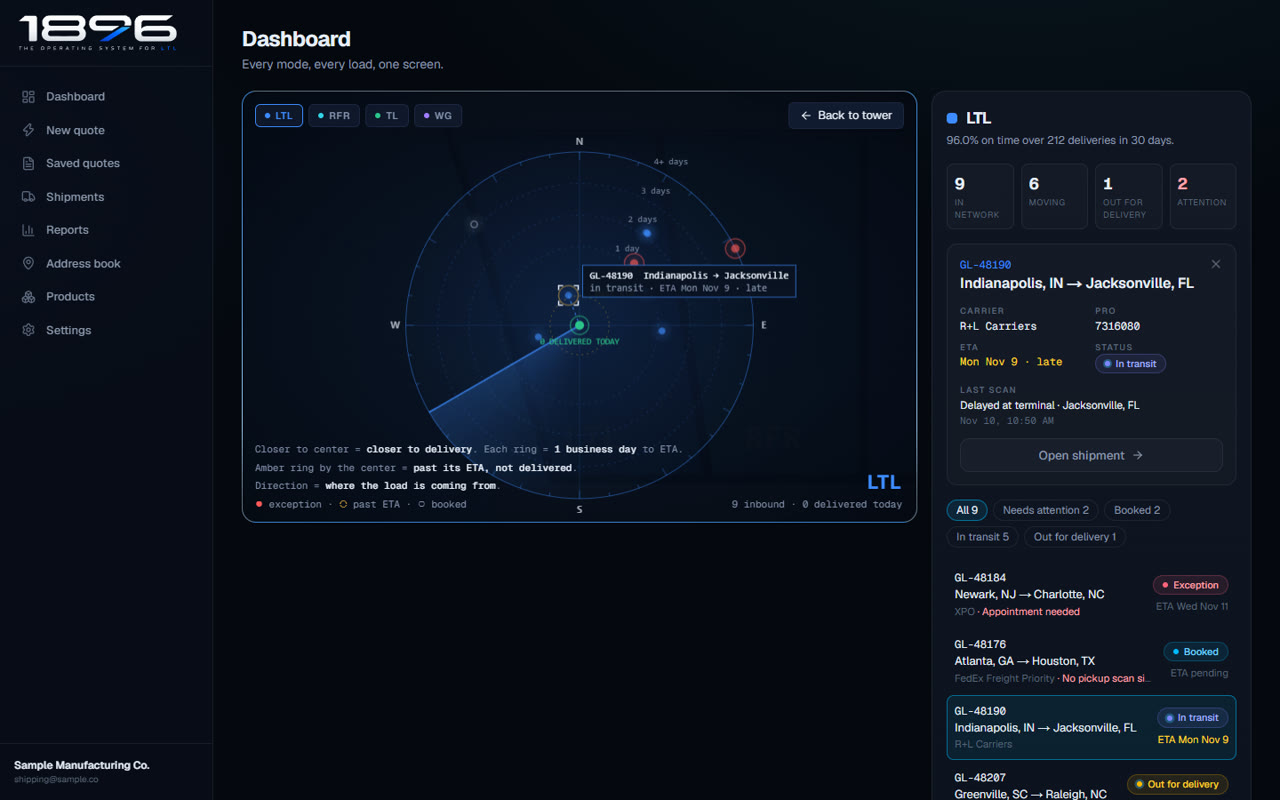
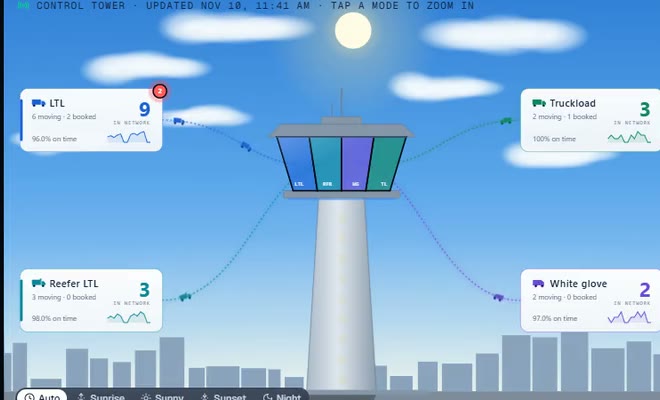
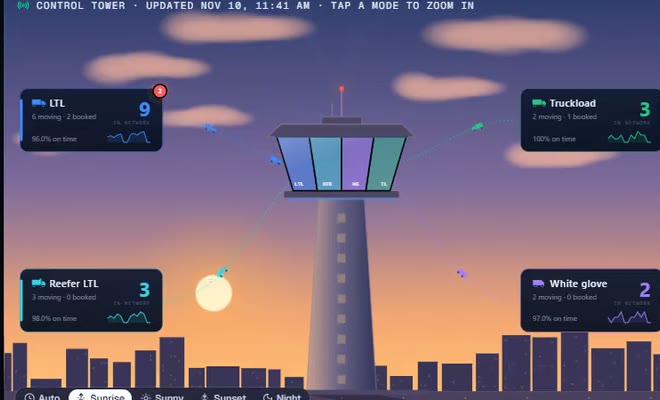
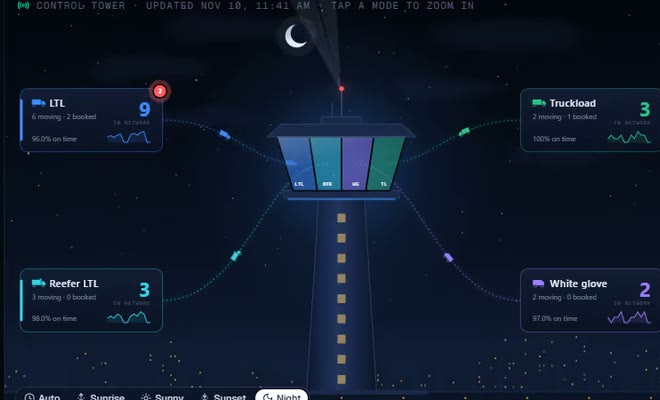
Run every load from one Control Tower.
Every open shipment in one view, by mode. Open a mode to see its loads on a radar: the closer to the centre, the closer to delivery, with late and at-risk freight marked.
- Carrier status codes become plain steps: booked, picked up, in transit, out for delivery, delivered
- Share a tracking link that shows milestones and never shows prices
- Choose alerts for pickups, missed pickups and late shipments
See what you ship and what it costs.
Shipments, spend, cost per hundredweight, on-time performance and transit days, by carrier and by lane. Click a carrier or a lane and the whole report follows.
- Any date range
- Export to a spreadsheet
- Built from the same shipment records, so nothing is keyed twice
The same screen for other modes
Quoting works the same way whatever is moving. Three examples:
Reefer LTL
Chilled, frozen or ambient. Pick the temperature range and compare refrigerated carriers.
Truckload
An estimated all-in rate for a lane and equipment type, fuel included. Ask for it to be confirmed and your rep answers by email.
International
Air and ocean options for the same shipment, door to door or port to door, with transit times.
What that can change in your business
Less time chasing rates
One entry replaces a round of carrier websites, phone calls and emails, so a quote takes as long as typing the shipment.
Fewer invoice surprises
Class, density and carrier size rules are checked before the freight moves, which is when a problem is still cheap to fix.
Fewer “where is it?” calls
Customers and colleagues can see status for themselves, or follow a shared link, instead of asking you.
Paperwork that is already done
The bill of lading, pallet labels and delivery receipt sit with the shipment, ready when someone asks for them.
A clear view of spend
Know what you spend by carrier and by lane, and how often freight arrives when it was promised.
Carrier bills checked against the quote
Each carrier invoice is set beside what was quoted, so an overcharge is found and disputed instead of paid.
Rate. Book. Track. Audit. Manage. Optimize.

RATE
- Carrier rates for one shipment on one screen, arriving as each carrier answers
- Quote tabs for LTL, reefer LTL, truckload, white glove, parcel and mail, and international
- Density and estimated class on the 2025 NMFC 13-tier scale
- Checks against carriers' published rules for linear feet, cubic capacity, oversize pieces and hazmat
- Saved quotes you can reopen, download as a PDF or re-rate

BOOK
- Book a rate without a phone call; the pickup is dispatched to the carrier
- Bill of lading and 4x6 pallet labels generated from the shipment
- Address book that remembers dock hours and standing accessorials
- Product catalog with class and dimensions
- Addresses and products can be loaded from a spreadsheet

TRACK
- Control Tower view of every open shipment by mode
- One readable timeline per shipment, with the carrier's raw updates behind it
- Shareable tracking links that show milestones only
- Email alerts for pickups, missed pickups and late shipments
- Proof of delivery and shipment documents kept with the load

AUDIT
- Carrier invoices in by PDF, photo, EDI 210, spreadsheet or API
- Each invoice matched to its load and compared with the quote
- Disputes with a ready-made packet of supporting documents, and a follow-up queue
- Carrier documents fetched by PRO from connected carriers
- Approved invoices rolled into payable batches for export

MANAGE
- Accounts, logins and which quote modes each account can use
- Pricing rules per account and per mode; carrier cost stays private to the account owner
- Your own name, logo and colours on the portal
- Offices and teams, each seeing only their own accounts
- Reports on shipments, spend and on-time performance

OPTIMIZE
- 3D trailer view that places each piece and shows the linear feet it takes
- Suggestions for stacking or rebuilding pallets to save space or drop a class
- A truckload option shown beside LTL when a shipment outgrows LTL
- Lane file analysis for consolidation, pool distribution and multi-stop pickups
- Quote-to-booked reporting by account, lane and mode
The recordings on this page were made in 1896 with sample shipments, carriers and prices.
Want to see it with your freight?
1896 is invitation only. Answer one question and tell us a little about your business, and we'll reply by email. Already have a login? Sign in.